iTunes Library Keeper
Keeps iTunes for Windows in step with the music folders on your disk. Scan, review, then apply.
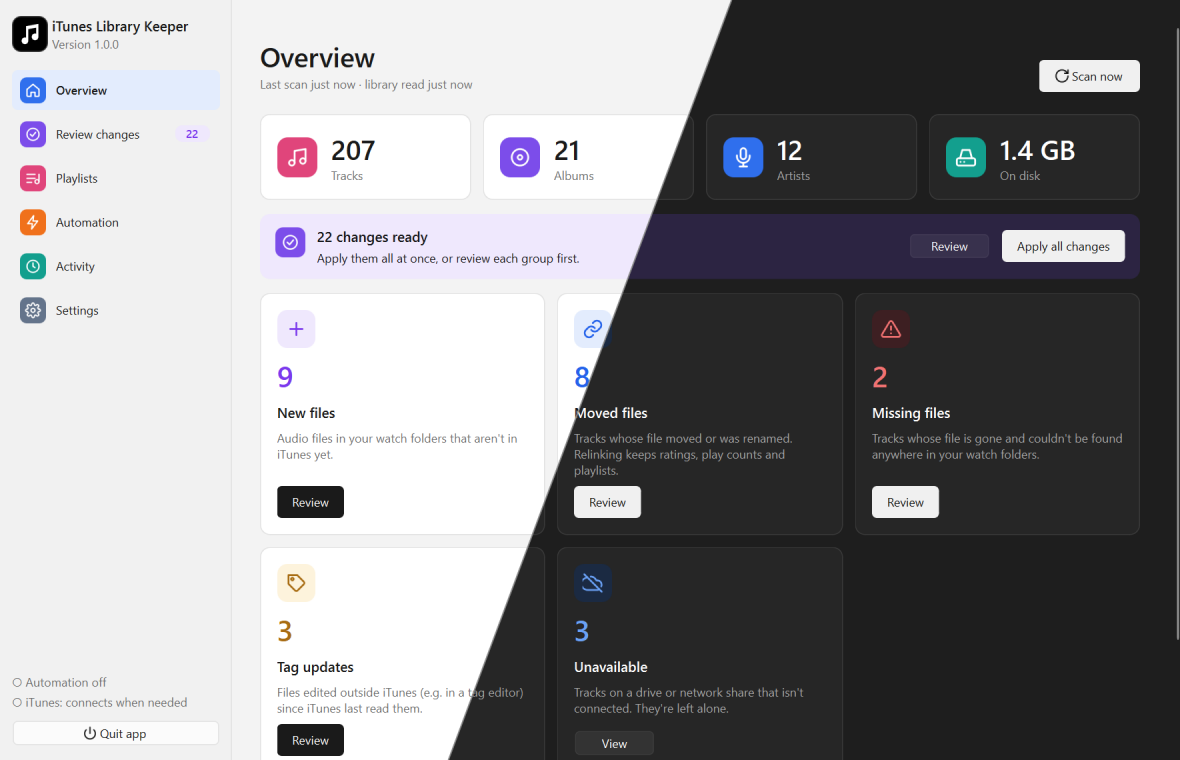
iTunes doesn’t notice when you add, move, rename or retag music files outside it. Your library fills up with “missing file” entries, new albums never show up, and edited tags stay stale.
iTunes Library Keeper finds all of that for you:
- New files in your music folders that aren’t in iTunes yet
- Moved or renamed files, relinked in place so ratings, play counts and playlists are kept
- Missing files whose track can’t be found anywhere
- Edited tags that iTunes hasn’t re-read yet
- Unavailable drives, reported separately and never treated as missing
Nothing in iTunes changes until you’ve reviewed the list and clicked Apply. If you want, automation can then keep everything in step in the background.
It can also build a folder tree of playlists from your tags, such as Albums by Artist › B › The Beatles › Abbey Road (1969), and keep it up to date.
Where to start
| If you want to… | Read |
|---|---|
| Install the app and set up iTunes | Installation |
| Do your first clean-up | Getting started |
| Understand what the scan found | Review |
| Build playlist folders from your tags | Playlists |
| Let it run on its own | Automation |
| See what it did and undo mistakes | Activity & safety |
| Change folders, file types and theme | Settings |
| Switch from iTunes Library Toolkit | Coming from iTunes Library Toolkit |
| Fix a problem | FAQ & troubleshooting |
iTunes Library Keeper is free software under the GNU GPL v3 or later. Nothing leaves your computer: no telemetry, no account, no web server.